

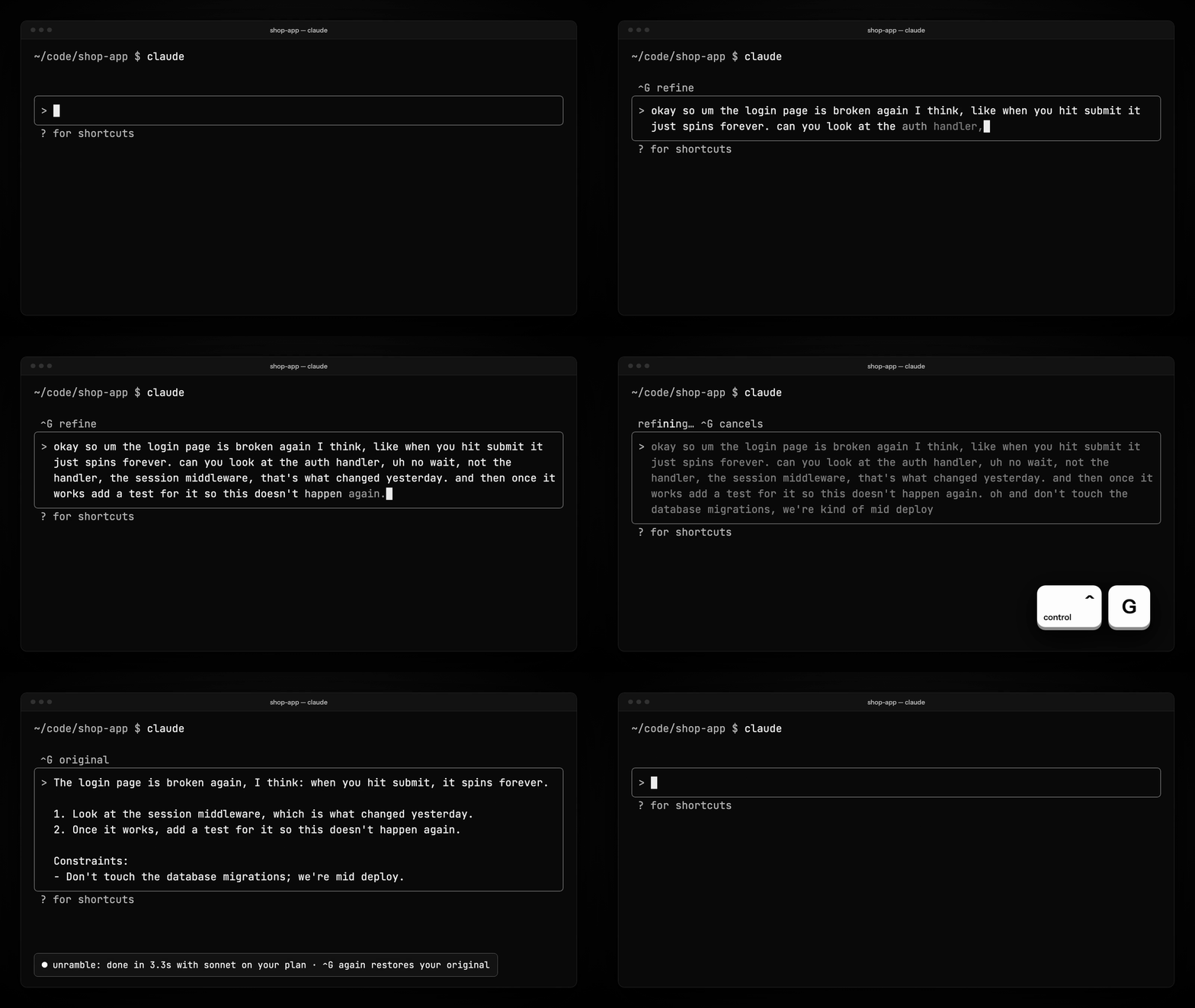
Press Ctrl+G and the rambling prompt you just dictated becomes the one you meant to type — in place, inside Claude Code, on the plan you already have.
Opens Claude Code in your terminal with the install command typed in. Press Enter,
answer y, then run /unramble setup once. The plugin reminds
you.
The first time, your browser may ask to open Claude Code. Needs Claude Code installed.
Install by hand
In your terminal
zsh, bash or PowerShell. Needs Node 18+.
npx unramble
Or inside Claude Code
One line at a time. No Node needed.
-
/plugin install unramble --marketplace yadava5/unramble -
/unramble setup
Either way, start a new Claude Code session afterwards, say or type a prompt, and press Ctrl+G.
No API key
It runs on your Claude Code plan, through the login you already have. Each rewrite is one short call.
It keeps your meaning
On 39 of the hardest real dictated prompts, two runs each, 76/78 rewrites kept their meaning with Sonnet and 78/78 with Opus, judged by Claude Opus against a fixed rubric. Benchmarks
Ctrl+G again restores your original
Press it on the rewrite and your draft comes back exactly. Press it while a rewrite runs to cancel.
What it won’t do
- Add a link or a command you didn’t say. A rewrite that brings one in is refused and your draft stays.
- Touch pasted logs or code. They are masked before the model sees the draft and put back byte for byte.
- Send anything before you press Ctrl+G.